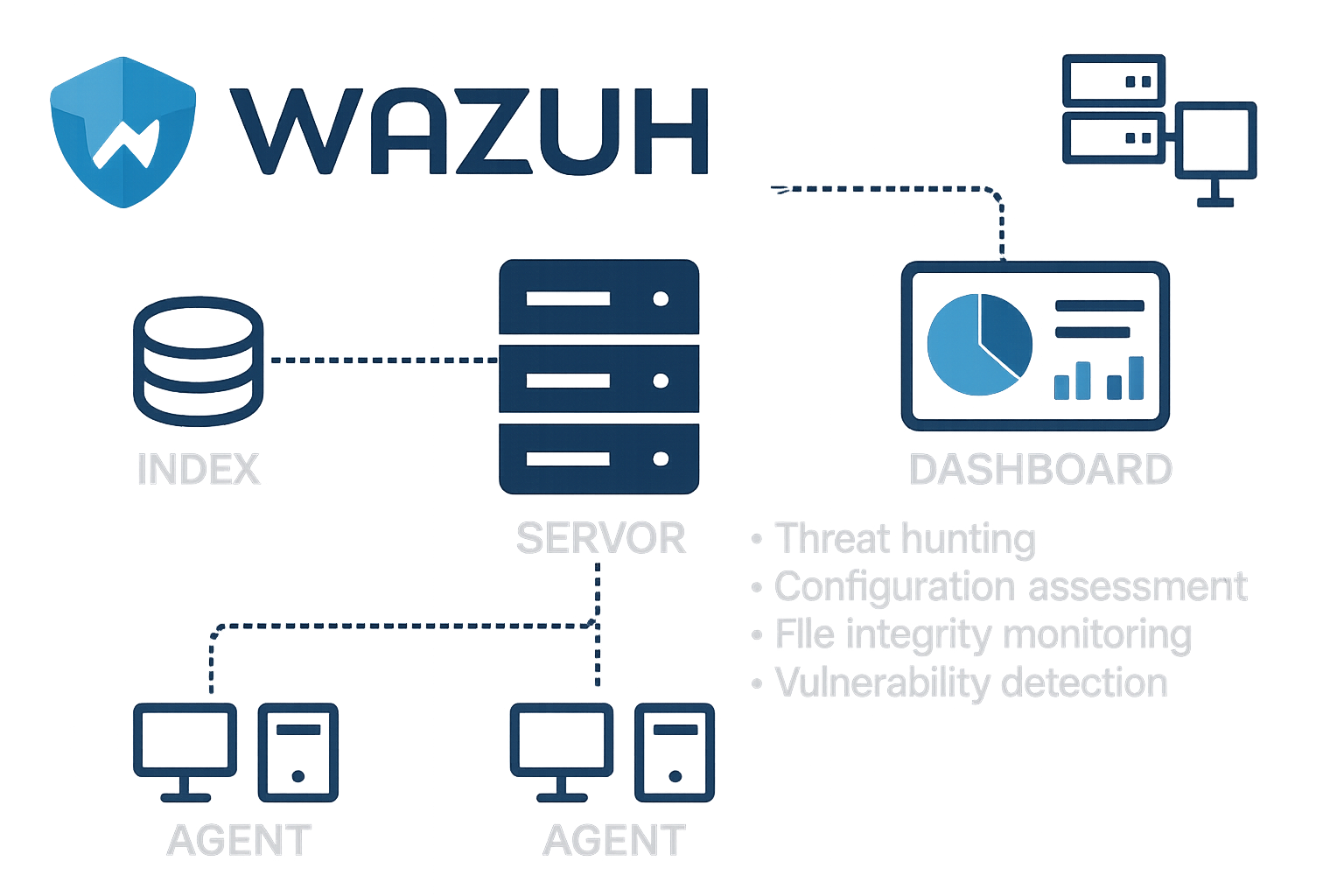
Ever wanted a security watchdog constantly sniffing around your servers — alerting you the moment something goes wrong? I recently put Wazuh to the test in a real‑world multi‑server + container environment. The results? Eye‑opening.
Think of your IT infrastructure like a castle: files are walls, configurations are gates, credentials are keys — and vulnerabilities are secret tunnels lurking in the dark. Wazuh acts like a round‑the‑clock guard dog, patrolling the walls, checking that gates stay locked, and barking the moment someone tries a sneak attack.
In this post, I’ll walk through how Wazuh performed during a real test involving multiple servers — including one acting as a VPN and mail host, and another sandboxed for configuration experiments. From threat hunting to file monitoring to CVE scanning, here’s what I discovered.
What Is Wazuh — and Why You Should Care
Wazuh is an open-source security platform that combines log analysis, intrusion detection, configuration auditing, vulnerability scanning, and file integrity monitoring — all under one roof.
With support for Linux, Windows, containers, and cloud workloads, it scales beautifully from small business to enterprise setups. I used it to monitor two Linux servers — and what I found was both powerful and sobering.
Threat Hunting in Action: The Login Storm
Right out of the gate, Wazuh’s threat-hunting dashboard lit up with over 7,700 failed login attempts on my enterprise server.
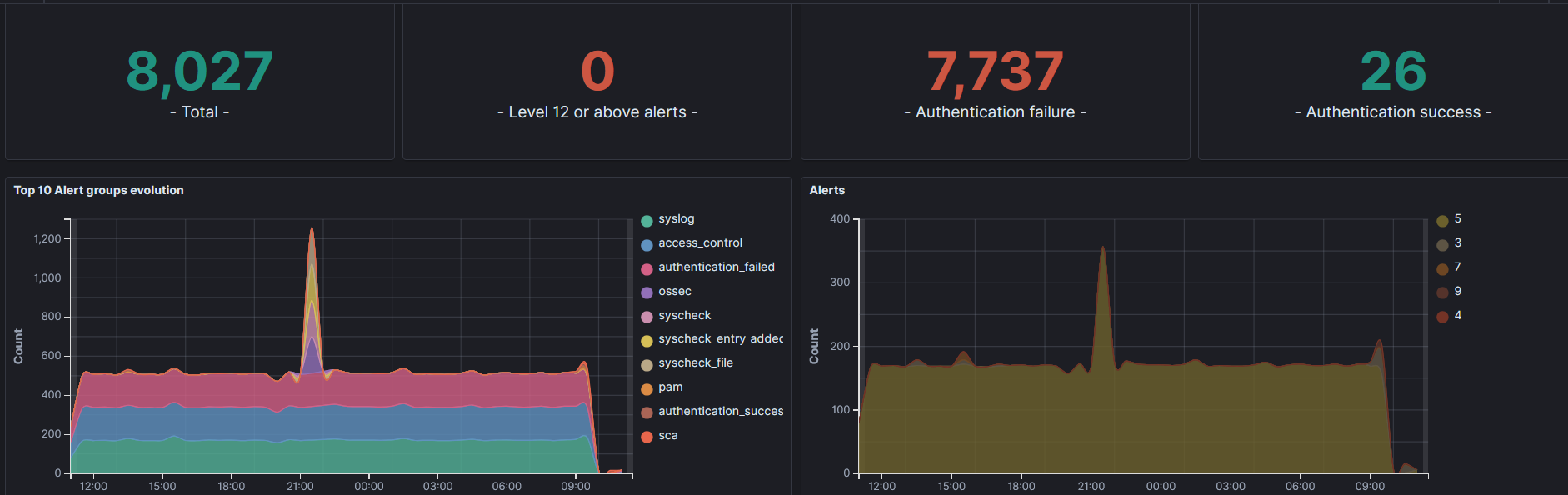
This server hosts a VPN via WireGuard and runs about 12 Docker containers for email — so it’s naturally exposed. Wazuh caught the surge in failed auth attempts and immediately highlighted the source, letting me trace it to a misconfigured mail container.
Tip: Always filter by authentication_failed events in the dashboard. It’s the fastest way to spot brute-force attacks or container misconfigurations.
“Visibility is half the battle in security.” — Troy Hunt
Default vs Hardened: A Tale of Two Servers
I ran the CIS Ubuntu 24.04 LTS Benchmark on both machines. One (the enterprise server) was left mostly default. The other (“jarvis”) I tweaked extensively.
Enterprise Server (Default Config)
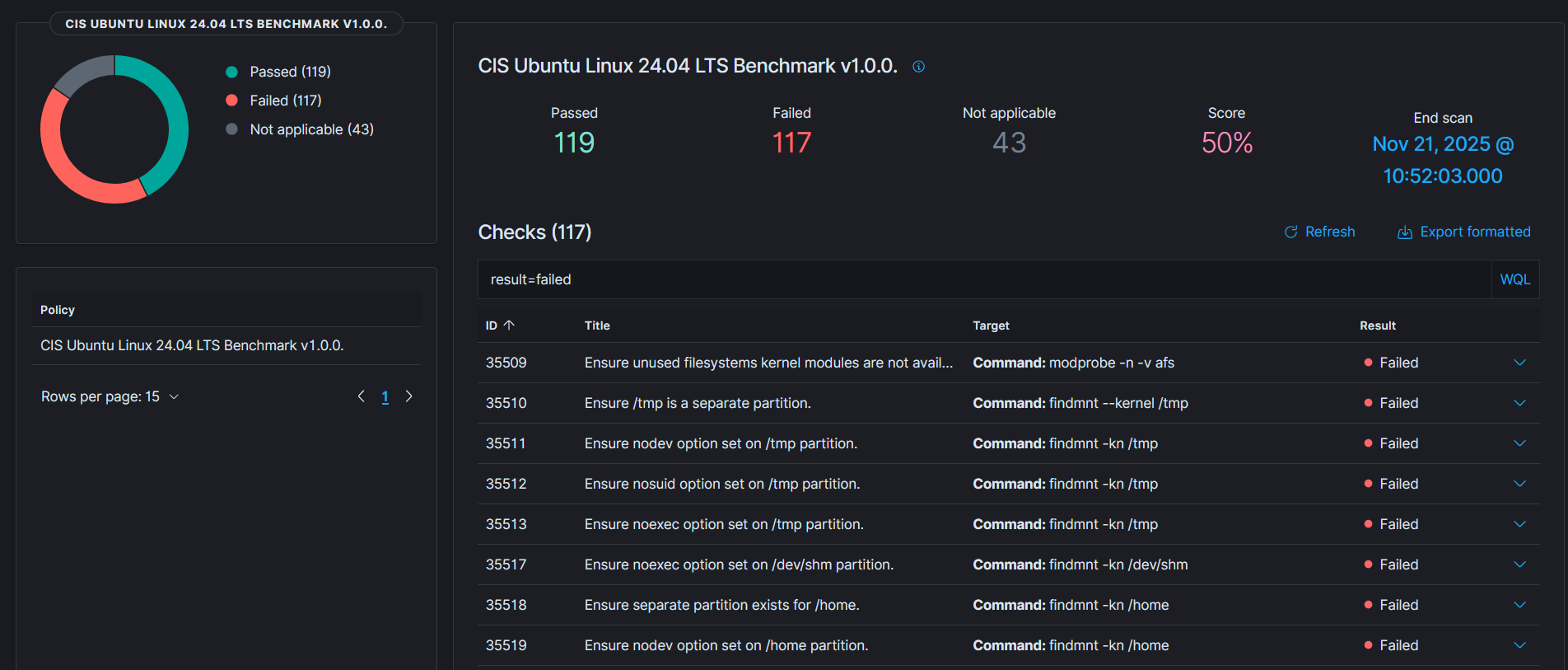
- Passed: 119
- Failed: 117
- Score: 50%
Jarvis Server (Manual Hardening)
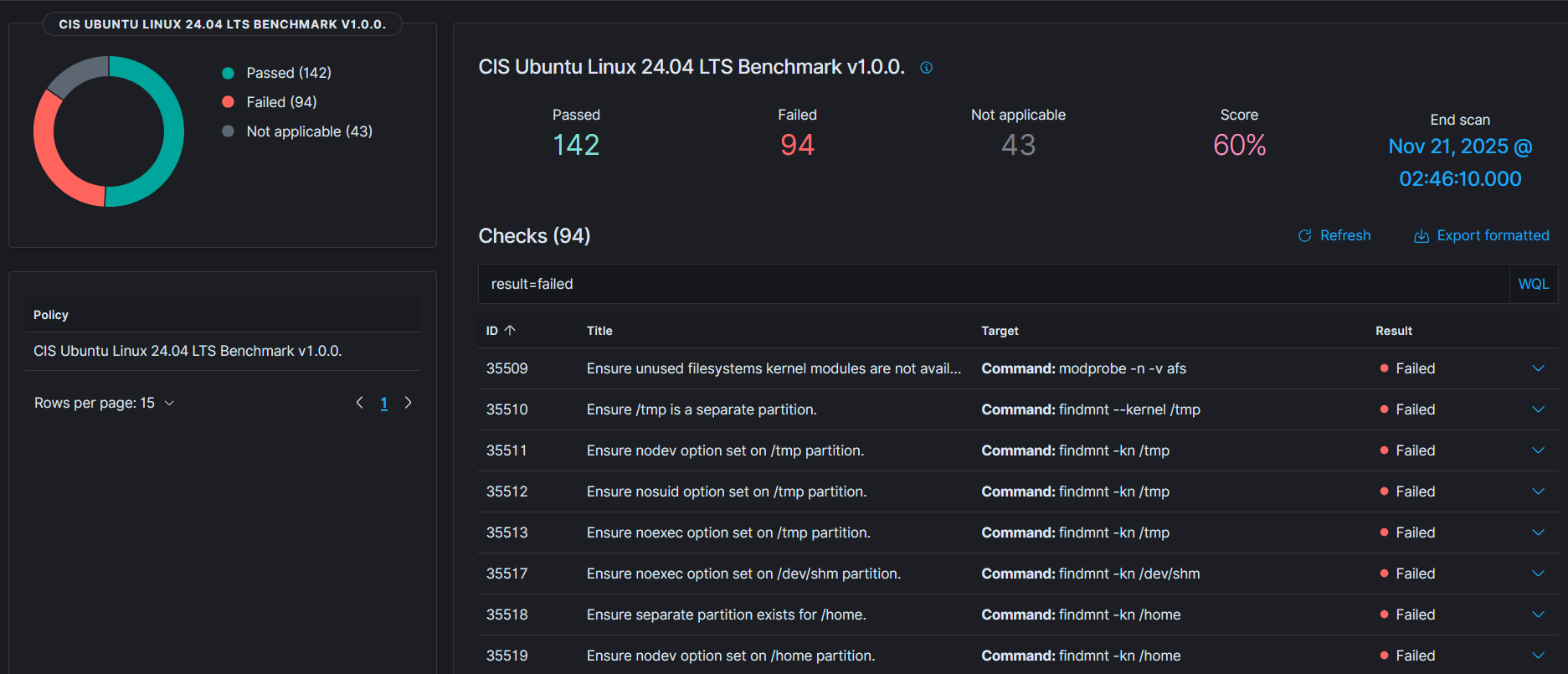
- Passed: 142
- Failed: 94
- Score: 60%
Even with manual tuning, reaching full compliance is tough. But these results show how much exposure default installs leave behind.
Tip: Always run a configuration assessment before going live. Wazuh’s SCA module supports CIS policies out of the box.
“Default settings are for functionality — not security.” — Bruce Schneier
File Integrity Monitoring: Catching the Ghost Changes
With Wazuh’s FIM (File Integrity Monitoring), I saw exactly which files were deleted, added, or changed — including system binaries and config files on the jarvis server.
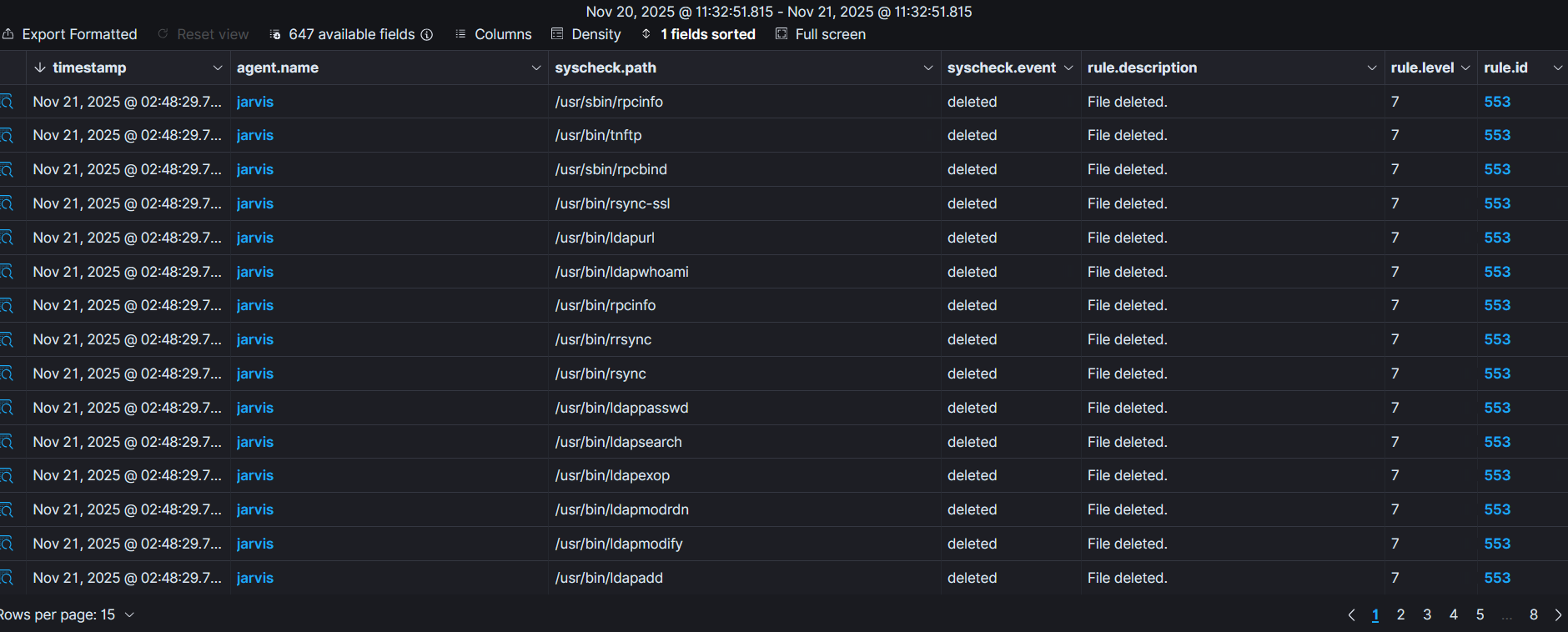
Dozens of key binaries were deleted or moved during my container and package experiments. Without Wazuh, I would’ve missed them entirely.
Tip: Enable whodata mode on sensitive paths like /etc, /usr/bin, and /home to see who made the change.
“If you don’t monitor file changes, you’re flying blind.” — Kevin Mitnick
Vulnerability Detection: Finding the Cracks
Wazuh scanned the installed packages and flagged known CVEs by severity. For my Ubuntu 24.04 systems, it found:
- 6 Critical
- 334 High
- 908 Medium
- 73 Low
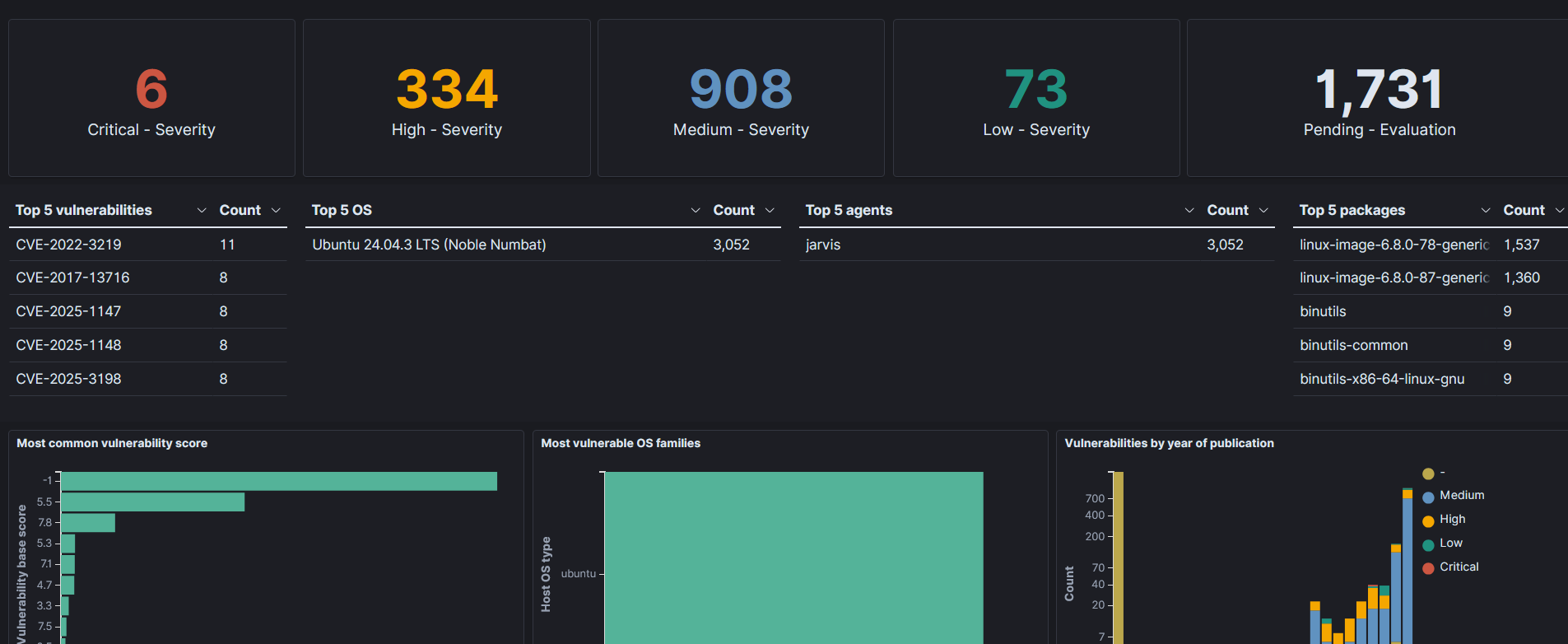
It even showed which kernel versions and packages were affected, so I could plan targeted upgrades instead of shotgun patching.
Tip: Enable daily vulnerability scans and track CVEs by age and severity. Prioritize patching critical and high first.
“You can’t patch what you don’t know is broken.” — Marcus J. Ranum
Lessons Learned: Wazuh is a Mirror and a Megaphone
Wazuh doesn’t fix your security problems — it shows you the truth.
- I saw thousands of failed logins I didn’t expect.
- I discovered insecure default configs I hadn’t hardened.
- I found deleted files I never realized were removed.
- I got CVE exposure stats that forced me to reprioritize updates.
Wazuh acts like a mirror: brutally honest about your environment. And a megaphone: shouting about trouble before it gets worse.
Final Thoughts: Start Small, Then Scale
If you’re just getting started with Wazuh:
- Deploy to one server
- Turn on FIM, SCA, and vulnerability detection
- Watch the dashboards for auth failures and file changes
From there, scale to your full environment. With proper tuning and review processes, Wazuh gives you the visibility to harden your systems — before attackers find the cracks.
Security isn’t about being perfect. It’s about being informed and ready. And Wazuh gives you the tools to do just that.